Sunday, 18 August 2013

Week 6 - Synopsis

As society changes to new technologies and we as teachers are introduced to these technologies, we need to be aware that e-learning can have pros and cons for the effectiveness of teaching. According to the Queensland Government Smart Classrooms (2012) explains that students from Prep to year 12 need to be given the opportunity to work with and create Information Communication Technologies (ICT’s). Managing e-learning as a course has given future educators an insight into technologies that are available they may not have been able to find otherwise. Times are always changing and teachers need to be prepared to find new interactive activities for students to work with and collaborate with in the classroom.

For many new teachers technology can be a scary concept as they may not understand or are too scared about what might be happening on the internet for their students. Over the past six weeks of Managing E-learning we have been exposed to many new (and old) technologies we may not have otherwise noted in the technology hub of the internet and computer resources. Most of the technologies that were used were free and easy to access which is what is needed in a classroom. Over these weeks there has been a big emphasis on how these ICT’s support the learning of students in your classroom.

During this time I found that my mind would end up in the negative focus of what we may found and how the students may be considered in the process. The parent page of Cybersmart (2013) discusses how children can stay safe on the internet and gives many good tips that even as an educator may be used in the classroom to keep the students safe online. With the help of this initiative the teachers are able to encourage their students on safe behaviours over the internet and ensure the technology used in the classroom is safe and acceptable.

Throughout the weeks we have based our technologies on the Technological Pedagogical Content Knowledge (TPACK) that helps inform the teacher to integrate technology into their classroom. TPACK centers around three different forms of knowledge. These were spoken about in week one which you can view here.

With all of this technology around today the classroom teacher needs to be aware of what the students may be doing with the technology that has been given to them. This means the teacher need to set parameters for students when using any technology in the classroom. When using mobile technologies in the classroom students may need to be supervised as to what they are using them for. Although many schools have a strict ban on many websites unsuitable for students, students with their technology backgrounds may be able to find ways around this set up.
To move forward using technologies in a classroom it’s best to work with and explore these ICT’s before allowing the students to work with them. In week 5 we looked at Prezi which I had never been exposed to which meant I had to work with a play with the website a lot more than I had for any other part of these tasks as I did not understand how to change slides etc.

The Australian Curriculum (2012) states that technologies will shape the future of learning in classrooms but also ensuring that all students benefit from learning and working with the technologies. By using ICT’s the teacher can look back on and examine what has been taught while also planning future lessons (Queensland Government, 2012). In the Australian Curriculum there are many expectations for students to achieve which you can receive here.
Using images, videos, presentations, animations and blogs in a classroom as a teacher you need to think about who can view the sources that students have been using. Are you using web 1.0 or web 2.0? Remember that if you are using web 2.0 tools that it is an often what you see what you get type of editor and that the public may be able to see and comment on work of your students (Fasso, 2013).

After completing this course of Managing E-learning I am even more interested in finding out about technologies I can use in my classroom. I also feel more confident going into the world of technologies, being able to understand how to explain things with images, different presentations and blogs shows that I didn’t know everything there was to know about technologies. I feel like I have gained a lot of knowledge that will be important in teaching my future students about ICT’s.


References

Australian Curriculum. (2012). The Shape of the Australian Curriculum: Technologies. Retrieved from: http://www.acara.edu.au/verve/_resources/Shape_of_the_Australian_Curriculum_-_Technologies_-_August_2012.pdf\

Australian Government. (2013). CyberSmart. Retrieved from: http://www.cybersmart.gov.au/Parents/Cyber%20issues/e-security.aspx

Fasso, W. (2013). Group 1 Tools Introduction. Retrieved from CQUniversiy Moodle, FAHE1101 Managing E-learning, http://moodle.cqu.edu.au/mod/page/view.php?id=145980

Queensland Government. (2012). Smart Classrooms – Student ICT Expectations. Retrieved from: http://education.qld.gov.au/smartclassrooms/documents/enabling-learners/pdf/student-ict-expectations.pdf

Thursday, 1 August 2013

Week 5 - Group 4 - Animations and Simulations

Hey guys just me again for the second time this week! 

While we looked at presentations this week we also looked at animations and simulations that could get our students invovled in the classroom. There were many options to chose from such as; google maps, adobe, online timetables and more. So I have decided I will talk about two websites and how I would use these in my classroom. 

Museum Box:
Source: Museum Box
Museum Box is a quirky website where you put certain items into a box. So you could begin with the question if I was on an island what would be in my pockets? then you would put those items into a box. As you look through this resource it explains itself well and gives teachers the opportunity to have students work on the website while also being able to delete it once they have finished. 

This resource would be perfect for any type of classroom topic for students. Students can put pictures/text into their box to help explain themselves. This would be a wonderful tool to use in a history assessment to put what happened on The First Fleet or what an explorer might have had in their backpack. It would involve student in high order thinking as they would have to take part as the role of the convicts on The First Fleet or even the explorer. Museum Box also allows students to create two different boxes if they need too. 

You could also use Museum Box at the start and the end of a certain topic, by asking students a specific question such as what did Matthew Flinders carry in his pockets when exploring Australia? have them create a box before speaking about the topic and when the topic is finished to see how their thinking has changed now that they have more information about Matthew Flinders and his exploration. 

ZooBurst:
ZooBurst is a 3D interactive book. It gives the author the opportunity to tell a story at the bottom of the page while also allowing the pop up 3D pictures to give more information to the story. 
ZooBurst: My story - Family

ZooBurst is a great interactive simulation activity for students. However different age groups would (obviously) use this very differently. For the younger grades the learning manager could create stories for them to interact and learn from throughout the topic. While older grades could create their own stories from what they have learnt or what they would like to learn. 

The interaction part of this simulation is an opportunity for higher achievers (or lower achievers) to learn more. If used properly this would be a great ICT to use in the classroom. As I did not have much time to have a big play with this ICT (which I would have liked) as I have been really ill, I did not see all of it's potential but I am hoping over this weekend I can have more of a delve into this resource and find out more. 

Click here to see my Family story I created on ZooBurst. 

See you all in 2 weeks time (week 6).

Jess. 

Week 5 - Group 3 - Presentation

Hey guys it's Jess. 

Glogster: Kirschty Birt
This week we looked at 2 different groups of technologies which means I will be uploading twice this week. Firstly I'm going to look at group 3 the presentation side of technologies. There were three different presentations to chose from powerpoints (which I have done and done and done in high school), Glogster which was an interesting new way to 'blog' where you can insert pictures and videos for your students to view. There was also Prezi, which I have decided to look at in more depth this week. 

Prezi
I have seen Prezi used before however I never knew how they worked. So I created two different Prezi's. One was for students when creating a family tree, this was a really rough thing and I was not impressed with what I did. So I decided to create another Prezi which is about Story Writing. You can view them here.

Prezi would be a great technology to use in the classroom instead of having powerpoints everyday or new topic. Prezi allows interaction by the students and can allow students to understand a topic a lot better through step by step interaction with Prezi. 

Prezi may also allow you to create interaction through questions, such as a quick maths quiz with certain answer with yes move on or even opps let's try that one again. Giving the students their own time to think and fix their own mistakes. 
All these types of presentations would uses cognitive and affective knowledge. 

Using the Revised Cognitive Domain from Bloom's Taxonomy when using these presentations in class the learning manager (you and I) can use all of the categories to help students understand.

Revised Cognitive Domain:
(Big Dog, Little Dog, 2013)

By using different presentation sources it gives the students the enthusiasm to achieve as their attitude towards the topic/s will change. By using the same presentation (powerpoint, Prezi etc.) throughout the entire term for topic after topic the students will get bored and lose interest in what they are being taught. 

Using presentations in the classroom students can become engaged and interested in topics they may never have heard of before or become more interested in topics they were already interested in. 

See you in just a few minutes.

Jess.

References:
Big Dog, Little Dog. (2013). Bloom's Taxonomy of Learning Domains. Retrieved from: http://www.nwlink.com/~donclark/hrd/bloom.html#cognitive

Friday, 26 July 2013

Week 4 - Images, Podcasts & Videos


Hey guys it's Jess!

This week we were looking at how we could use images, videos and podcasts in a classroom situation. We also discussed what was plus minus and interesting (PMI) about these topics in a classroom situation and how this would provoke teaching. 

Images
Source: Google Images
Using images in a classroom allows children to use both their imagination and high thinking to either think of a story or think about what is happening in the picture. Although these things may happen it is best to develop skills with the learners that pictures are not only to decorate with but are also to help others be visually aware. Allowing the learner to look at a picture critically and carefully to develop what the creator had in mind helps the learner develop visual literacy (Thibault & Walbert, n.d.). 


Although learners may just use individual pictures to help them understand certain aspects of a situation they may also create a picture story of something they did (e.g. a science experiment, excursion). 

Click here to see my own photo story

Using images in a classroom may be helpful but if you just use images for the sake of using images it just makes the lesson boring. 
Here is a Plus/Minus chart on how images helps learners in a classroom situation.

Podcasts
Podcasts allows the teacher to help learners reinforce a different concept they may be learning about in the classroom throughout the term. It may also be useful in a situation with learners to update the newsletter for people with visual impairment. 
Unfortunitly I can not upload a Podcast for you to listen to, however if you go to The State of Tech, you will hear the first part of Gamification. 

Videos
I have seen on youtube lately that some bands are doing Vodcasts (if you didn’t get from the name, they are Video Podcasts) which allows the audience to become involved through comments etc.
In the classroom videos are a great way to help learners understand and build their knowledge through movement and visuals. There are many youtube clips that allow learners to understand a concept through song while giving them movements to do in different parts of the song. Videos are also great in the way that learners can create their own even if it is just for a different way of presenting information.

I found this video that I used in my prac classroom last year. It helps the learners understand the concept of doubles and learners were to always move while singing the song. 
Source: Youtube

Videos allow learners to build products that are highly creative and expressive through a reflective process.

All these ICT's allow learners to be involved and help them understand different concepts that may be learnt about in the classroom. They allow learners to question the mode of technology and understand what is expected of them through reflective processes. 

See you all in week 5!

Jess


References
The State of Tech. (2013). The State of Tech – Episode 029 – “Gamification Part 1”. Retrieved from http://www.thestateoftech.org/

Thibault, M. & Walbert, D. (n.d.). Reading Images: an introduction to visual literacy. Retrieved from http://www.learnnc.org/lp/pages/675


Thursday, 18 July 2013

Week 3 - eLearning

Hey guys it's Jess!

This week we were looking at the effectiveness of blogs, wiki's and websites in a classroom situation. During the week I made a weebly webpage, as I've already had experience in both blogs and wiki pages (I did however go back to my wiki and have a little mess around before coming to write this). We also focused on how TPACK and web 2.0 affected the learners outcomes of the scaffolding of these mediums. 

TPACK
Source: CQU Moodle
During the week I realised that if I was to ever use wiki's or webpages as an educational tool in the classroom I would need more information and A LOT more time to mess around with the site. Using these sites allowed me to realise I do not have the Technological Knowledge to help learners to achieve their best with these online activities as I don't have the ability to understand them completely just yet.


Web 2.0
Have you ever heard of web 1.0 or even web 2.0? No, well let me explain. Web 1.0 is a website that has a 'webmaster' someone who controls what content goes on and stays on a certain website. The view of the website does not change for different viewers nor can viewers change what is being seen (this can be called a read only website). Web 2.0 however is owned by us, the people. We can share, view, communicate and upload in all different types of forums in web 2.0. It is often a what you see is what you get (WYSIWYG) type of editor. 

Blogs
I have always enjoyed the thought of blogging and have just started up my own blog (which hasn't got very far yet) just from the excitement of this course. 
Before a blog is implemented the teacher needs to have concepts for learners to think through, various resources and concept segments to process, or ideas to construct. There must be a certain amount of content preparation (Thomas, 2013)
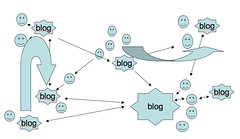
Using a blog in the classroom allows learners to track their own learning and create their own space to understand content being taught. It is best to note that having children reflect on their actions is difficult when they begin which means scaffolding is a must which can be done through many different aspects of questioning, online tools and constructed questioning. 
Robin Hamann
Source: Thomas, 2013
Although blogs allow teachers and other leaners to look at and comment on things learners have written about. This is an individuals learning tool, if group work was the assessment or topic that was using online tools the teacher needs to have them use a group website such as a wiki page. 
Blogs can allow learners to analyze and connect with class material while also finding ways to apply new ideas. But for that to work in my classroom I need to provide the relevant feedback while evaluating (not for the final product of course) the blog to see how the entire learning process shakes out. 


Resources
Thomas. (2013). Using Blogs to Enhance Learning - Some Helpful Tips. Retrieved from: http://www.openeducation.net/2008/10/10/using-blogs-to-enhance-learning-%E2%80%93-some-helpful-tips/


Thursday, 11 July 2013

Week 2 - de Bono's hats

Hey guys it's Jess!
It has suddenly become week 2 in my third year of university, how crazy!

As you read last week I talked about what learning theories there were and what they meant. Today I am back to discuss which learning theories were used in an online activity for my class Managing E-Learning.
The activity was based around de Bono's six thinking hats. 
Source: Google Images

We had to 'put on' one or more of these six hats and respond to the topic of mobile phone usage in a classroom situation. 

Brief Summary
Black Hat: Negative, what is wrong with this? Why will it not work?
White Hat: Information, what are the facts? What information do I need to know?
Red Hat: Intuitive, how do I feel about this? What do I not like about this idea?
Blue Hat: Process, where are we now? What sort of thinking is needed?
Green Hat: Creativity, what new ideas are possible? Can I create something new?
Yellow Hat: Positive, what are the good points? Why is this a good thing?

Out of the four learning theories discussed last week this activity had us (well me anyway) using one of them (constructivism). 
When I first stepped onto the wiki page I used constructivism to understand my peers thoughts and understanding of the topic as being apart of this technology generation I already had both my yellow and black thinking hats on. My Zone of Proximal Development was used throughout this topic as the support I was given from both online discussions and face-to-face discussions helped me interact with this weeks topic. 
Throughout the course this week I was being scaffolded by the tutors by the opportunity to come up with and give my own opinions in this online wiki. 
All of this was helped by the scaffolding that:
  1. Supported the complex reasoning process
  2. Supported contributions by ALL students
  3. Made thinking visible both to student and teachers
  4. Creating a permanent discussion
This week de Bono's six thinking hats topic had a lot of value to for me to finally decide on and finish my research into mobile phones in the classroom. 

This week also focused on the Technological Pedagogical and Content Knowledge (TPACK). Let's break that down. Think back to when you were in school (it may not be long ago but 
it may be quiet a while), did you ever have a teacher who knew a lot about a subject but was unable to teach it? I am going to assume you said yes, this often means that the teacher had the content knowledge but not the pedagogical content knowledge. Adding technology to the mix of things turns Shulman's pedagogical content knowledge into TPACK.
Now using the diagrams below it is understood that a learning experience is compromised if there is limited pedagogical knowledge or limited technological knowledge. It is only when all three elements (TPACK) are understood that an optimal teaching of ICT can occur. Although I am part of the digital age and having to explain and understand my pedagogical knowledge already I have found over time that sometimes it is harder to explain one thing than to just do it for the person.
Source: CQUModdle.

Thank-you for reading and I will see you next week!

Week 1 - Learning Theories

Hey guys it's Jess!
A big welcome to my first blog!


Today I am here to tell you about learning theories and what I have learnt over the past week about them. 


Learning Theories
Did you know that learning theories are an attempt to describe how a person learns? 


Source: Google Images Behaviourism
Behaviourism
As we look at behaviourism some of you may know or have heard it be referred to has 'objectivism'. Students begin to learn an activity through practice, positive reinforcement and re-shaping what they have learnt. This past two weeks I learnt from lecture notes and my own research that behaviourism is not a high order thinking process rather it is used for low level content and routine skill development. 

Cognitivism
This theory is broken into a three stage model that includes the sensory register, working memory and long term memory. 
Source http://www.nwlink.com/~donclark/hrd/learning/memory.html
Sensory Register
Is information first accessed through the senses. 
Working Memory
Although limited in the number of individual elements takes short term memory and helps store this in the brain as long term memory
Long Term Memory
Some cognitivists believe that information is best stored in 'schemas' (can be described as linked maps) and new information from the working memory is taken and linked to schemas that have already been made in the brain. 

Constructivism
Source: Google Images
Vygotsky (1962) said that social interaction is a very important part of learning. We also have a Zone of Proximal Development which can be the distance between the development level of myself as an independent problem solver compared to the development of myself with help of a teacher or collaborative work with more capable peers (SimplyPsychology, n.d.). 


Connectivism
Connectivism was posed by George Siemens as the learning theory for the digital age (how funny that is me). Siemens also stated that it is now harder to know everything and it is better to know what we are looking for and where to find it than it is to know. 

Well there are the four learning theories, which is the best to use when? That's another question for another day. 
Thank-you for reading and I will see you next week! 

References
SimplyPsychology. (n.d). Zone Of Proximal Development. Retrieved from: http://www.simplypsychology.org/Zone-of-Proximal-Development.html